
The Git client nobody asked for.
GitDonkey is a free, open-source desktop Git client for macOS and Windows. It does what Git clients do. It is also, unavoidably, a donkey.
v1.0.0 · Free · MIT · Apple Silicon, Intel and Windows 10/11
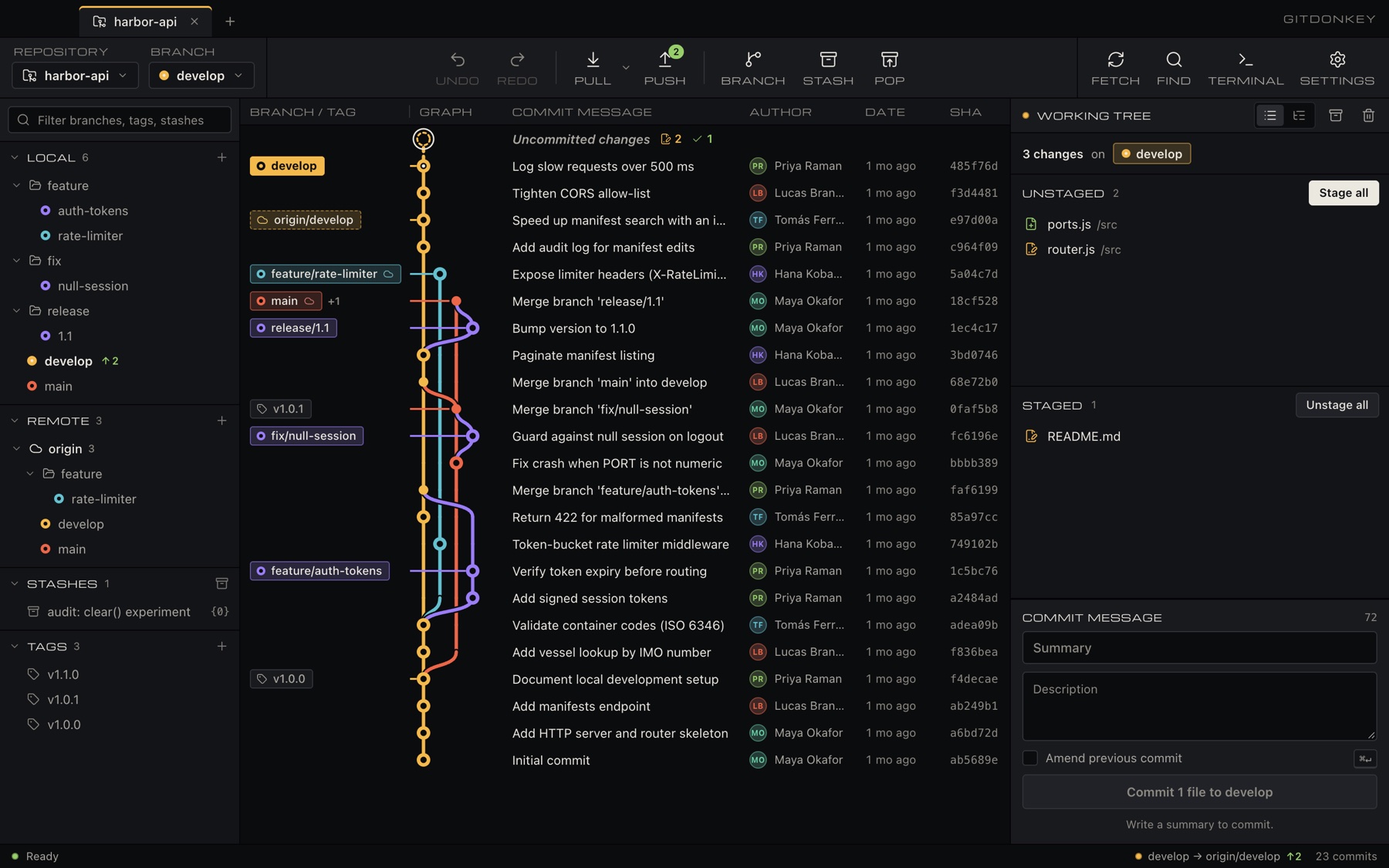
feat: show every branch at once, as patch cables
Every branch, remote and tag in one graph. The lanes are drawn as patch cables because a donkey designed it and it insisted.
Branch and tag labels sit on the cable they belong to. Your current branch lights up amber, so you always know where you are, even if you don't know why.
Merge branch feature/drag-to-merge
feat: drag one branch onto another to merge it
No typing git merge. Grab a branch by its plug and patch it into another one, like a modular synth. Try it. It's the whole joke and also a real feature.
Drag the feature/hay plug into main. Keyboard: focus the plug and press Enter.
feat: stage single lines, not your whole personality
Stage a file, a hunk, or one line. Commit exactly the bit you meant and leave the rest for future you to explain. Click lines to stage them.
- 1
export default { - 2
stubborn: false, - 2
stubborn: true, - 3
carries: 'your entire history', - 4
ears: 2, - 5
price: 49, - 5
price: 0, // nobody would pay for this - 6
};
Merge branch fix/merge-conflicts
fix: resolve merge conflicts without crying (much)
A built-in merge tool: pick ours, theirs, or both for each conflict, then carry on. Here is a real dilemma from our own history.
<<<<<<< ours
const animal = 'donkey';
=======
const animal = 'horse';
>>>>>>> theirs
1 conflict in animal.js. Pick a side.
feat: undo. For Git, not for your life choices
Commits, checkouts, resets, new branches, deleted branches: press Undo and they un-happen. Redo if you change your mind again. We don't judge. The donkey does, quietly.
commit"final_final_v3_REAL"reset --hardto a stranger's commitbranch -Dimportant
3 regrets on record. Undo walks them back, newest first.
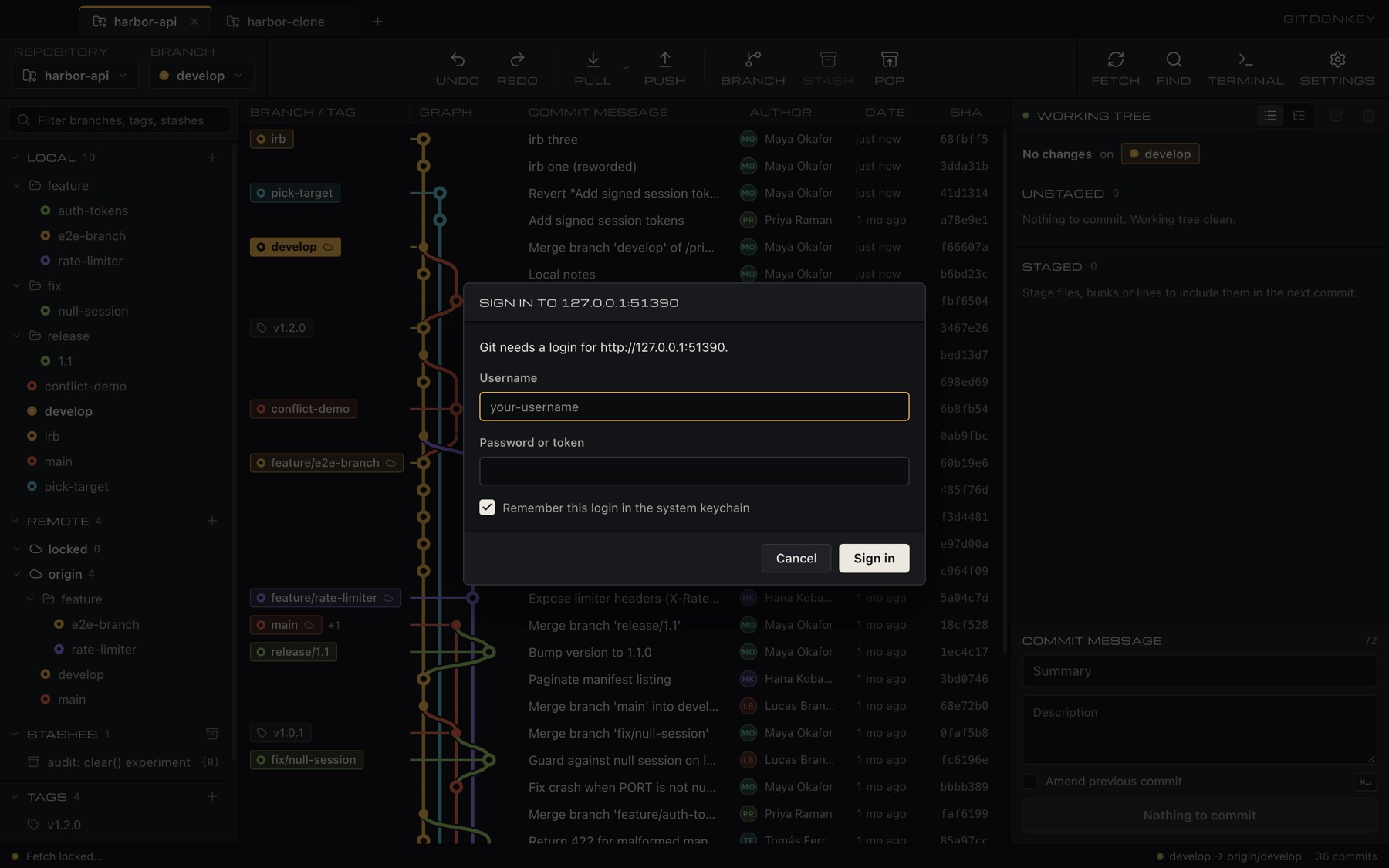
feat: ask for your token once, then remember it
When a remote wants a login, GitDonkey asks in its own window, then hands it to your system keychain. You type it once. Unlike your coworkers, it remembers.
SSH passphrases and new-host fingerprints get the same treatment. If the GitHub CLI is signed in, it doesn't even ask.
docs: add reviews we wrote ourselves
We don't have any real reviews yet, so here are some we made up. Please don't quote them.
“It's a donkey.”
Literally everyone“I asked for a Git client and got a Git client. Five stars.”
Our only beta tester, who is also us“More cables than my Git client. Fewer than my synth.”
Someone, probably“Hee-haw.”
The donkey (biased)
chore: make it free and open source
GitDonkey is MIT licensed. We considered charging for it. Then we looked at it.
The source is on GitHub. Read it, fork it, send a pull request. The donkey can't type, so it needs the help.
View the source on GitHub- src/graph.jsevery branch, remote and tag
- src/staging.jsfiles, hunks, single lines
- src/merge-tool.jsours, theirs, both, or a mule
- src/rebase.jsreorder, squash, reword, drop
- src/cherry-pick.jsplus revert and reset
- src/stash.jsfor code you're not ready to discuss
- src/diff.jssplit view, images, blame, history
- src/remotes.jsfetch, pull, push, force-with-lease
- src/avatars.jsfaces, mostly donkeys
- src/tabs.jsseveral repos, one donkey
10 files changed, 0 dollars charged
docs: answer questions nobody asked
fee1e55 donkeyIs it actually free?
Yes. Free to download, free to use, MIT licensed. We could not think of a price that the word “donkey” justifies.
bad1dea donkeyWhy a donkey?
Donkeys are stubborn, carry heavy loads and don't forget things. Neither does Git. Also, the logo was fun to draw.
a110ca1 donkeyDoes it send my code anywhere?
No. GitDonkey runs the Git already on your machine. The only network traffic is what Git sends to your own remotes, plus author pictures from GitHub and Gravatar, which you can switch off in Settings.
be5afe1 donkeyWhy does my computer warn me when I open it?
The builds aren't code-signed yet. Certificates cost money and the donkey spent the budget on hay. On macOS, open it once, then click Open Anyway in System Settings → Privacy & Security. On Windows, click More info → Run anyway.
ba5ed00 donkeyDo I need Git installed?
Yes. GitDonkey drives the Git you already have. On Windows install Git for Windows; on macOS run xcode-select --install.
5adface donkeyLinux?
Not yet. We haven't built or tested it on Linux. It's on the list, somewhere under “teach the donkey to swim”. Pull requests welcome.
Initial commit
This is where it all started: a donkey, a laptop and questionable judgement. You've reached the root. There's nothing further back except your old Git client.
v1.0.0 · Free forever · MIT · Requires Git